Day 26 - Jenkins Declarative Pipeline
Day 26 of 90daysofdevops

I am a software engineer having working experience of 4+ years. I have been a part of web development and have hands-on experience in Laravel, Html, Codeigniter, CSS, PHP, OOPS, Bootstrap, React, Javascript, jQuery and Linux. Currently learning DevOps, AWS & more skills.
A Pipeline is a collection of steps or jobs interlinked in a sequence. It is a sequence of stages or steps that define the flow of activities involved in building, testing, and deploying software applications. It represents the entire workflow from source code management to production deployment.
Declarative: Declarative is a more recent and advanced implementation of a pipeline as a code.
Scripted: Scripted was the first and most traditional implementation of the pipeline as a code in Jenkins. It was designed as a general-purpose DSL (Domain Specific Language) built with Groovy.
pipeline {
    agent any
    stages {
        stage('Build') {
            steps {
                //
            }
        }
        stage('Test') {
            steps {
                //
            }
        }
        stage('Deploy') {
            steps {
                //
            }
        }
    }
}
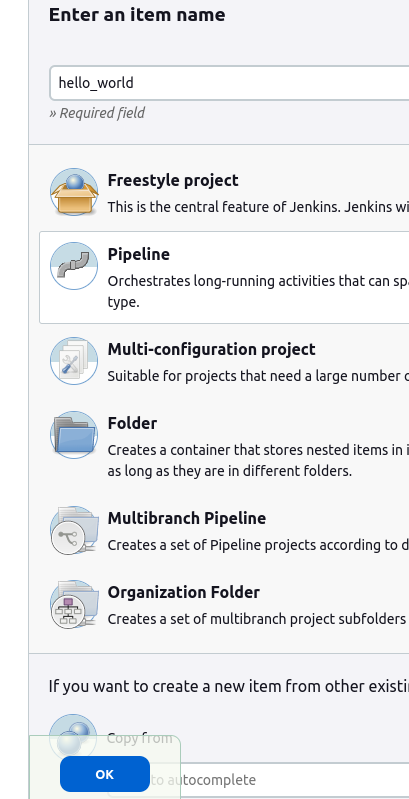
Create a New Job, this time select Pipeline instead of Freestyle Project.
Navigate to New item.
Enter the pipeline name and select Pipeline, and then click on ok.
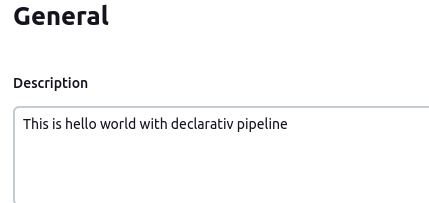
Enter description.
Write a pipeline script

Click on Build Now.

After the build is completed, you can view the console output by clicking on the "Console Output" link.

As you can see from the above output, the Pipeline run successfully and printed Hello World.
Thank you for reading!!
~Shreya Gupta
Great initiative by the #trainwithshubham community. Thank you Shubham Londhe
#devops #90daysofdevops #jenkins #jenkinsproject #cicd #declarativepipeline